


SKZ: Stray Kids game
4.563.00 Reviews
App Specs
- Version
- 20260803
- Updated On
- License
- Free
- Downloads
- 100,000+
- Developer
- Kpop game and more
- Categories
- Music
- Platform
- Android
Screenshots
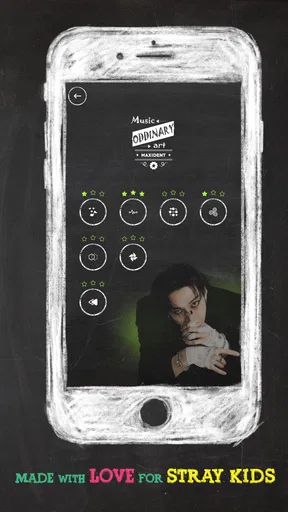
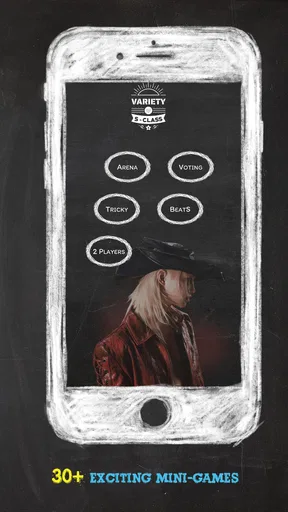
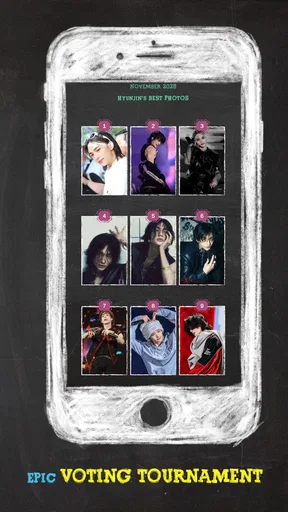
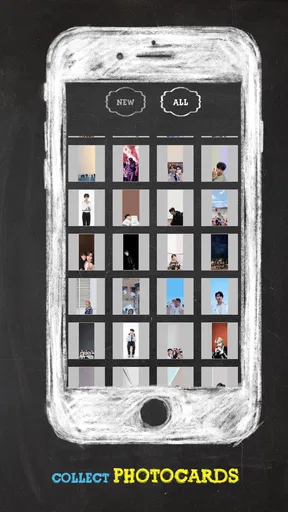
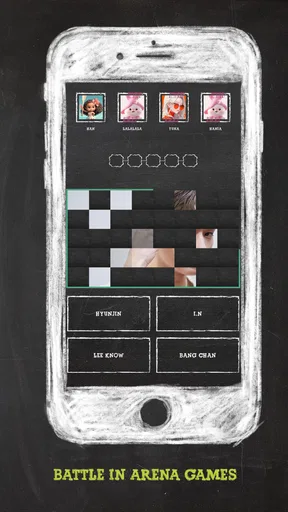

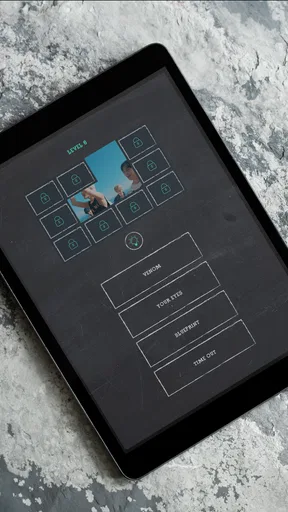
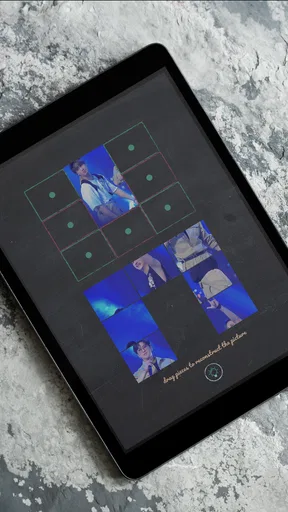
 Analysis by AppCompare
I approached SKZ: Stray Kids game as a small music-focused game for fans who want something connected to the SKZ world rather than another general-purpose rhythm title. Its store message points directly at STAY culture and uses references such as “RED LIGHT” and “HELLEVATOR,” so the appeal is clear from the beginning: this is designed for people who already recognize the group’s language and enjoy fan-centered interaction.
My first impression is that it works best as a casual companion to listening, not as a replacement for a full music game. The free price makes it easy to try, and the Everyone age rating keeps the entry barrier low. At the same time, anyone expecting a large, polished rhythm platform with extensive customization should approach it with more modest expectations. The experience is more appealing when I treat it as a focused SKZ-themed diversion.
Where the experience can become confusing
The biggest potential stumbling block is knowing what kind of game this is before opening it. The short store description is simply “SKZ,” while the longer summary speaks directly to the fandom. That tells me the identity is strong, but it does not explain the play loop in everyday terms. A new user may install it expecting songs, quizzes, puzzles, or a collection of fan activities and then need a little time to understand the intended interaction.
That uncertainty matters because music games are often judged within the first few taps. If the opening screen does not immediately make the next action obvious, I would avoid tapping repeatedly or closing the app too quickly. Give the interface a moment, look for the most prominent control, and read any short instruction before moving through the screen. This is especially useful on a smaller phone, where buttons and labels can feel crowded even when the game itself is functioning normally.
The app comes from Kpop game and more, a developer name that signals a specifically fan-oriented catalogue rather than a mainstream studio brand. I would therefore judge it by the pleasure of its theme and the ease of a short session, not by comparing it with the production scale of major commercial music games. That distinction prevents a common disappointment: downloading a niche fan game while expecting the depth, presentation, and onboarding of a large licensed franchise.
Another point of friction is fandom familiarity. References tied to Stray Kids can make the game feel personal for a STAY, but they may not mean much to someone who only knows a few songs. In my view, the game is most naturally suited to fans who enjoy recognizing names, themes, and in-jokes. If you are looking for a neutral music challenge where the artist theme is secondary, a broader rhythm game will probably offer a clearer fit.
Why the first session deserves patience
A short first session is more useful than trying to judge everything immediately. I would open the game when I have a few uninterrupted minutes, check how the main menu is organized, and try the basic activity before deciding whether it deserves a place on my phone. This approach also separates genuine design friction from a one-time loading delay or an accidental mis-tap.
Worth Reading Before You Choose

Flipboard Shows What News Apps Must Do Beyond the Feed

Switching to Android Auto Means Rethinking Your Driving Routine

Google Calendar Makes a Crowded Week Easier to Manage

Ludo King Makes the Most of the Minutes Between Plans

Baby Panda World Brings Quick Play to Modern Phones, but Its Game Library Feels Busy

ESPN’s Live Game View Makes Following Close Games Easier
For a fan, the strongest early signal is whether the theme feels enjoyable without requiring a long commitment. I like games of this type when I can dip in between songs, during a break, or while waiting for something. If every visit feels like work before the SKZ connection appears, the concept loses much of its value. The free entry point helps here: there is no purchase decision to make before discovering whether the tone suits you.
Setup checks before blaming the game
The listed minimum operating-system requirement is Android 8.0, so I would check the phone’s Android version before troubleshooting anything more complicated. An older device may install or launch differently from a newer one, and a phone that is technically compatible can still struggle if storage is nearly full or many other apps are active. These are simple checks, but they often explain why a small game feels unreliable on one device and normal on another.
I would also begin with a stable connection if the initial launch appears to pause. That does not mean every part of the game necessarily needs constant connectivity; it simply gives the first run the best chance to complete normally. Switching between a weak mobile signal and crowded Wi-Fi can make a user think the game has frozen when the real issue is the connection changing in the background.
Before opening it, I would close demanding apps, especially video editors, games, and streaming tools. This is a practical step for a music-themed title because sound and interface timing can feel wrong when the phone is already busy. Lowering the workload also makes it easier to tell whether a problem belongs to the game or to the device’s current state.
Sound deserves its own check. I would confirm that the phone is not muted, that media volume is raised rather than ringtone volume, and that audio is not being sent to a forgotten Bluetooth speaker or headset. If the visual part opens but the expected sound does not, these checks are more sensible than reinstalling immediately. I would also disconnect and reconnect wireless audio once, since a stale Bluetooth connection can create the impression that an app has no sound.
Because this is a fan game, I would keep the first test simple: use the default phone settings, avoid overlays, and do not run a screen recorder at the same time. Features such as floating windows, game boosters, notification bubbles, and recording tools can cover controls or affect responsiveness. Turning them off temporarily creates a clean baseline without changing the game itself.
What I would verify after installation
I would check that the installation completed fully, restart the app once, and make sure the phone has enough free space for normal operation. I would not repeatedly clear storage or delete unrelated files as a first response. A restart and a clean relaunch are safer initial steps, particularly when the problem appears only on the first opening.
If the game displays a permission request, I would read it rather than approving everything automatically. I would allow only what is clearly needed for the action I am trying to use, and I would remember which choice I made. That makes later troubleshooting much easier. If a particular function stops working after a permission is denied, I can revisit that single setting instead of guessing.
The current version shown for the game is 20260803. I would use the store page to check whether an update is available before spending time on deeper troubleshooting, especially if the app behaves differently after an operating-system update. Keeping the game and Android environment reasonably current is a practical way to avoid chasing a problem that has already been addressed.
The public response is encouraging without making the game universally proven: it holds a 4.5 average from around 2.2 thousand ratings, with over 100 thousand installs and 63 written reviews. I read that as a sign of a real audience and a generally positive reception, not as a guarantee that every phone or every fan will have the same experience. Written reviews can be particularly useful when they describe a specific launch, sound, or control issue rather than simply praising the theme.
Recovering a session when something goes wrong
When a screen stops responding, I would first wait briefly and avoid tapping the same control over and over. If nothing changes, I would close the game normally and reopen it. On Android, a full restart of the phone is the next reasonable step if the issue returns immediately. This sequence is less disruptive than jumping straight to clearing app data, which can remove local progress or settings if the game stores them on the device.
If the game opens but the display looks incorrect, I would rotate the phone only if rotation is normally available, then return to the standard orientation and relaunch. I would also disable any system display magnification or unusual font scaling for the test. These adjustments are not fixes for the game itself, but they can reveal whether a layout problem is being caused by the phone’s display configuration.
For missing audio, I would test the phone with another media app before changing anything inside the game. If other audio also fails, the game is unlikely to be the cause. If other apps work, I would check the game’s own sound controls, reconnect headphones, and relaunch. Testing one variable at a time is slower than random experimentation, but it gives me a clear answer and avoids creating several new problems at once.
If a session closes unexpectedly, I would note exactly when it happens. A crash during launch points toward compatibility, installation, or device load. A crash after a particular action suggests a narrower issue. I would reproduce it only once or twice, then stop if the behavior is consistent. Repeatedly forcing the same failure rarely helps and can make the phone heat up or drain its battery unnecessarily.
A safer recovery order
Close the game and reopen it once, checking whether the same screen causes the problem.
Restart the phone if the issue affects launch, sound, or touch response across more than one attempt.
Check the Android version, available storage, connection, media volume, and Bluetooth route.
Update the game through its normal store page if an update is offered.
Only then consider clearing temporary cache, and treat clearing app data as a separate, more disruptive step.
I would be especially careful with the last step. Clearing data can return an app to its initial state, and I would not do that casually when I have already made progress or changed preferences. If the game offers no visible account or recovery method, preserving local data is the sensible priority. A reinstall should also be a last resort rather than the first response to a temporary connection or audio problem.
One useful workflow is to take a screenshot of an error message before closing anything. A screenshot records the wording and the screen layout, which is far more useful than remembering that “it stopped.” If I later contact the developer, I can describe the device, Android version, action taken, and exact message in a concise way. That gives Kpop game and more a practical starting point for investigation.
When the game is not the cause
Not every disappointing session is an app failure. A weak connection can interrupt an opening sequence, a nearly full phone can make any installation behave unpredictably, and aggressive battery-saving settings can interfere with background activity. I would test the same phone with another lightweight game or media app before deciding that this title is defective. If several apps show the same symptom, the wider device environment deserves attention.
Touch problems can also be mistaken for poor controls. A dirty screen protector, wet fingers, a thick case edge, or a damaged section of the display can cause missed taps. I would clean the screen, remove anything pressing against the edges, and test a few ordinary apps. If taps fail in the same area elsewhere, replacing the game will not solve the underlying issue.
Audio confusion is common when a phone is connected to a car, earbuds, speaker, or television. The game may be producing sound while the user is listening in another room or through a device with its own muted volume. I would disconnect Bluetooth completely and test through the phone speaker before judging the in-game audio.
Storage and heat are less visible causes. A phone that is hot from charging, sunlight, navigation, or another demanding app may reduce performance temporarily. I would let it cool, unplug it, close background tasks, and try again. This is particularly relevant when the game works for a while and then becomes sluggish rather than failing immediately.
There is also a difference between a design limitation and a technical fault. If the game feels too brief, too focused on fan references, or less musically deep than a dedicated rhythm game, that is a matter of fit. No amount of reinstalling will turn a compact SKZ-themed experience into a large song library or a competitive timing platform. Recognizing that early saves time and leads to a more honest decision.
Who will enjoy it most
I would recommend it first to Stray Kids fans who want a free, low-pressure activity built around their fandom. It makes sense for someone who enjoys identifying references and checking in for short sessions rather than committing to a long campaign. The Everyone rating also makes it an approachable choice for households where a younger player may be interested, although I would still use normal family judgment around screen time and device settings.
It is also a reasonable option for a fan who does not want to spend money just to experiment. Since the game is free, the decision can be based on enjoyment rather than price. I would install it before a concert playlist, during a quiet break, or after discovering a new SKZ track, then decide whether its style adds something to that listening routine.
I would skip it if my main goal is a broad music catalogue, advanced rhythm mechanics, competitive leaderboards, or a highly elaborate progression system. A conventional rhythm game is a better choice for precise timing practice, while a trivia-focused fan app may suit someone who mainly wants questions and facts. This title’s value comes from its specific SKZ identity, so choosing a different category is not a criticism; it is simply a better match for a different purpose.
I would also hesitate to recommend it to someone unfamiliar with Stray Kids who wants an immediately self-explanatory game. The fan context is part of the attraction, and without that context the references may feel like decoration rather than a reason to return. In that case, a neutral music game offers a more direct introduction to the genre.
My practical verdict after weighing the trade-offs
My recommendation is cautiously positive for the right audience. The free model, accessible age rating, and focused fandom theme make this an easy experiment for STAY. The reception, with a 4.5 average and more than 100 thousand installs, suggests that the concept has reached a meaningful audience. I would not treat those figures as a promise of flawless performance, but they do make the game worth a fair first try.
The best way to use it is deliberately casual. Install it on a compatible Android phone, launch it with a stable connection, check sound and touch response, and spend a short session learning the interface instead of judging it from the store’s brief wording. If a problem appears, follow the recovery order: relaunch, restart, check the device environment, update, and only then consider more disruptive steps.
What I appreciate most is the clear sense that this is made for people who already care about SKZ. What holds it back is the same narrow focus: fans outside that circle may find less reason to return, and players seeking a full-scale music game will likely outgrow it. I would keep it as a lightweight fan activity, not as my main music game.
In the end, the right expectation is a focused SKZ fan experience, not a universal rhythm-game replacement. If that sounds like what you want, the no-cost entry makes trying it sensible. If you need deep musical systems, broad artist coverage, or a polished competitive structure, I would choose a more established alternative and leave this one to the fans who will recognize what its references are trying to do.
Pros
- Features Stray Kids-inspired visuals and music that fans will recognize.
- Short play sessions make it convenient for quick breaks.
- Collectible content encourages ongoing play and fan engagement.
- Simple controls are accessible for casual mobile players.
- Regular events can provide fresh goals and limited rewards.
Cons
- Limited content may feel repetitive after extended play sessions.
- Progress can be slower without spending money on premium items.
- Requires a stable internet connection for many features.
- Device storage usage may grow after downloading additional content.
- Some rewards and events may favor highly active players.
FAQs for SKZ: Stray Kids game
What is SKZ: Stray Kids game?
SKZ: Stray Kids is a fan-focused mobile game inspired by the K-pop group Stray Kids. Depending on the version and region, it may include collectible member cards, rhythm or timing-based challenges, story content, missions, and customizable features. The game is designed for fans who want interactive content connected to the group, rather than a traditional action or strategy experience.
Is SKZ: Stray Kids game free to download and play?
The game can generally be downloaded without an upfront purchase, but free access does not necessarily mean that every feature is free. Like many entertainment and idol-themed games, it may include optional in-app purchases for premium currency, card packs, costumes, energy, or faster progress. Players should review the store listing and enable purchase restrictions if children may use the device.
Does SKZ: Stray Kids require an internet connection?
An internet connection is usually needed for the main features of SKZ: Stray Kids, including account access, event participation, content updates, rankings, rewards, and purchases. Some previously loaded sections may work temporarily offline, but this should not be expected for the complete game. A stable Wi-Fi or mobile-data connection is recommended, especially when downloading updates or media-heavy content.
Is SKZ: Stray Kids suitable for children and younger fans?
The game may be appealing to younger Stray Kids fans, but parents should check its official age rating before installation. In-app purchases, advertisements, online services, and possible account or community features can affect suitability. It is a good idea for adults to review the permissions, privacy policy, chat-related options, and payment settings, then use parental controls where appropriate.
What device requirements and storage space does SKZ: Stray Kids need?
Before downloading SKZ: Stray Kids, make sure the phone or tablet runs a supported version of Android or iOS and has enough free storage. The initial download may be modest, while additional music, images, video, and event files can increase the total size. Keeping the operating system updated and using a reliable connection can also help prevent installation or loading problems.


